Quick Start
Welcome to our API services! This guide helps you quickly get started with image and video generation.Step 1: Get an API Key
- Visit the API Key Management page
-
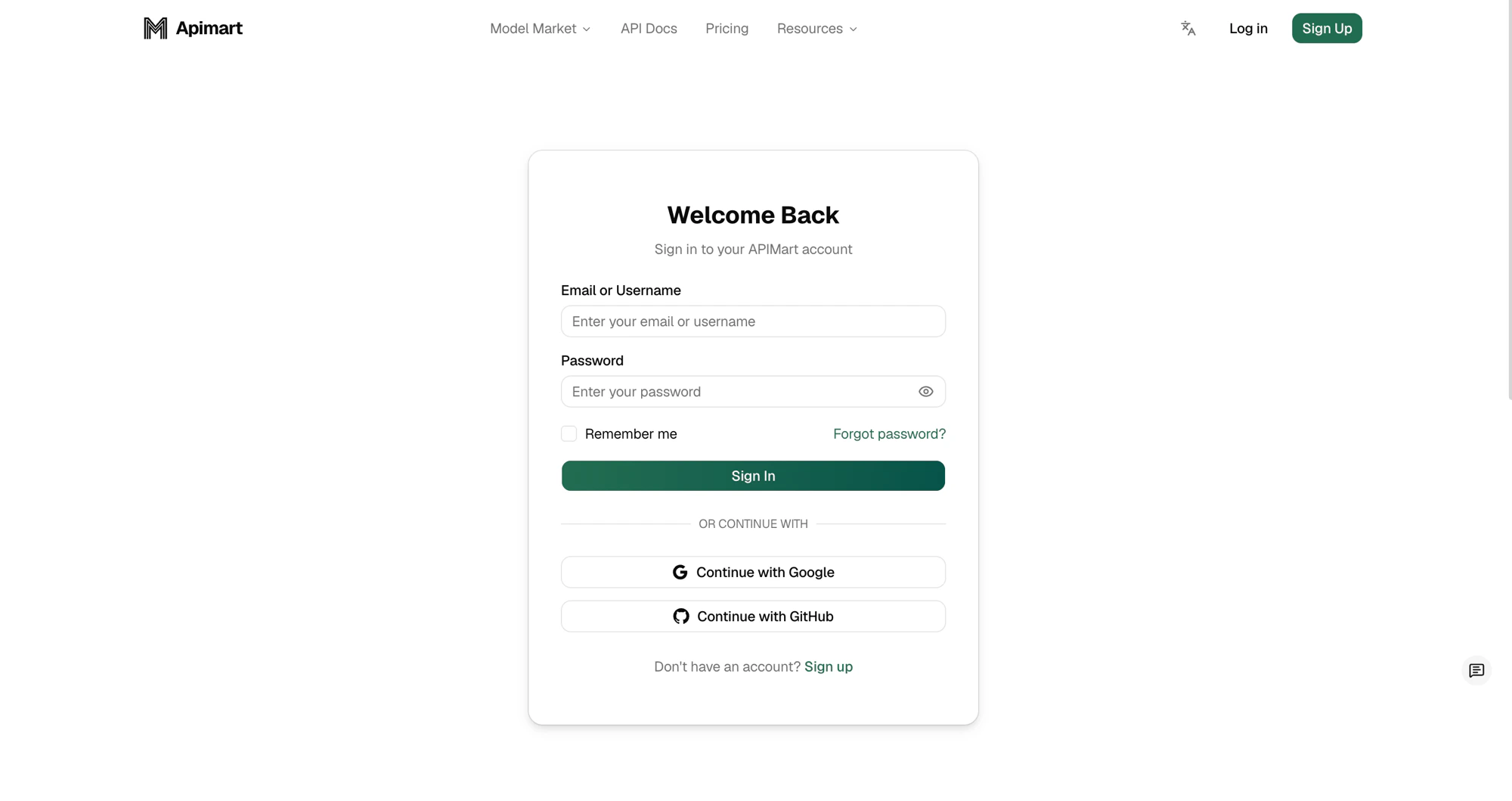
Sign in to your account
-
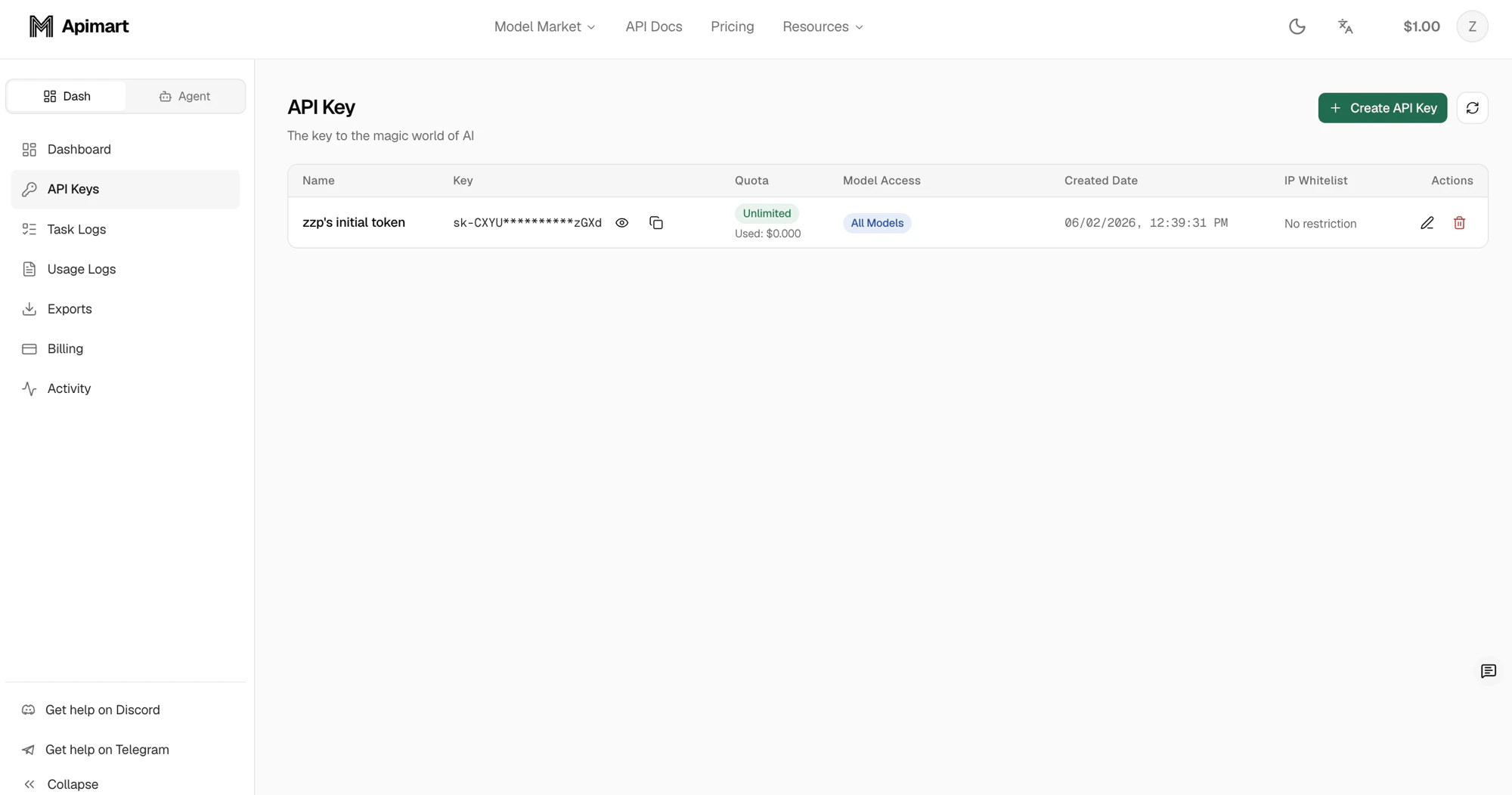
Create a new API key
On the API Keys page, click the Create API Key button in the top-right corner.
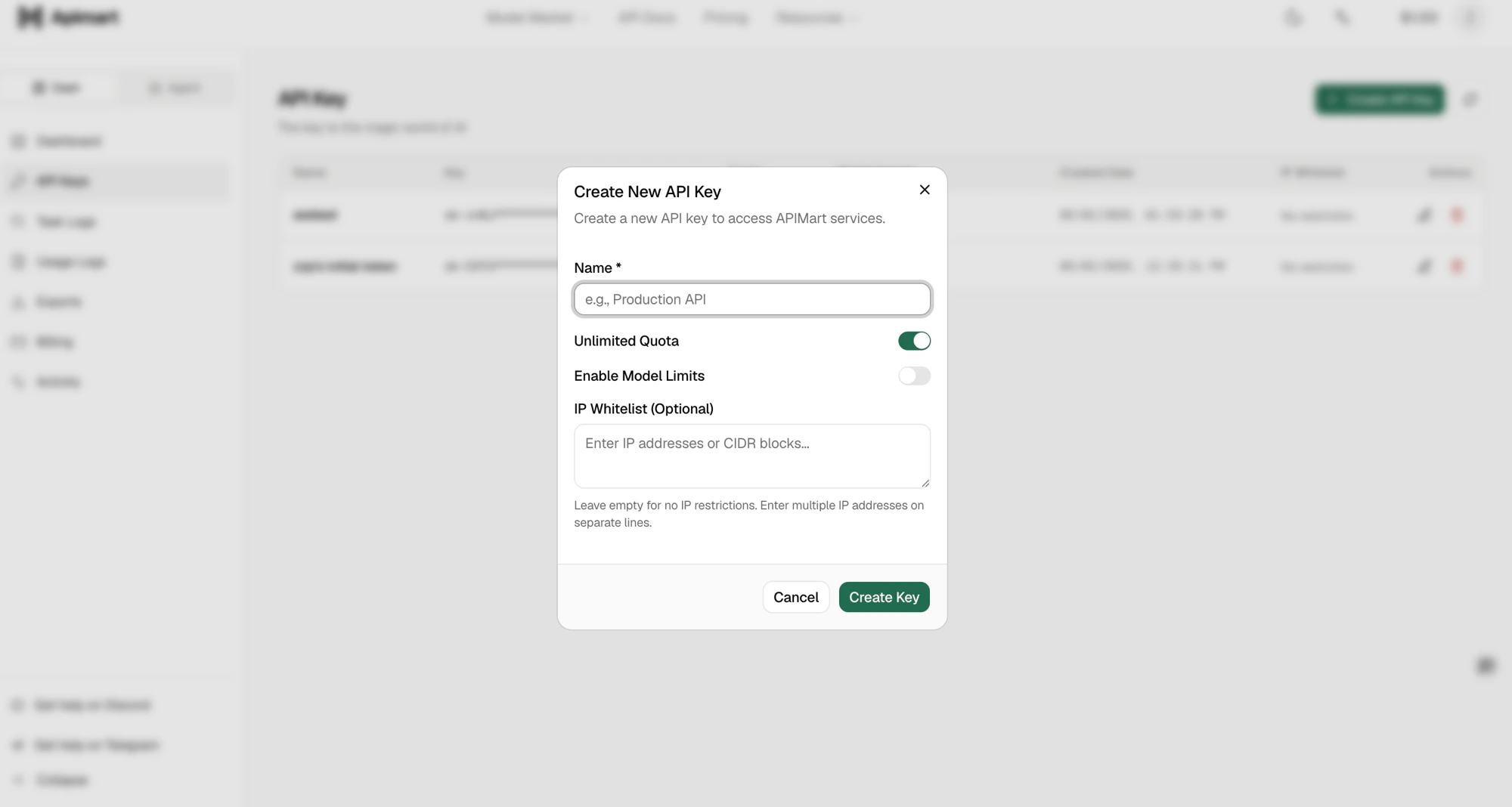
In the dialog that appears, enter a Name for the key, optionally configure the quota (Unlimited Quota), model limits (Enable Model Limits) and an IP whitelist, then click Create Key.
-
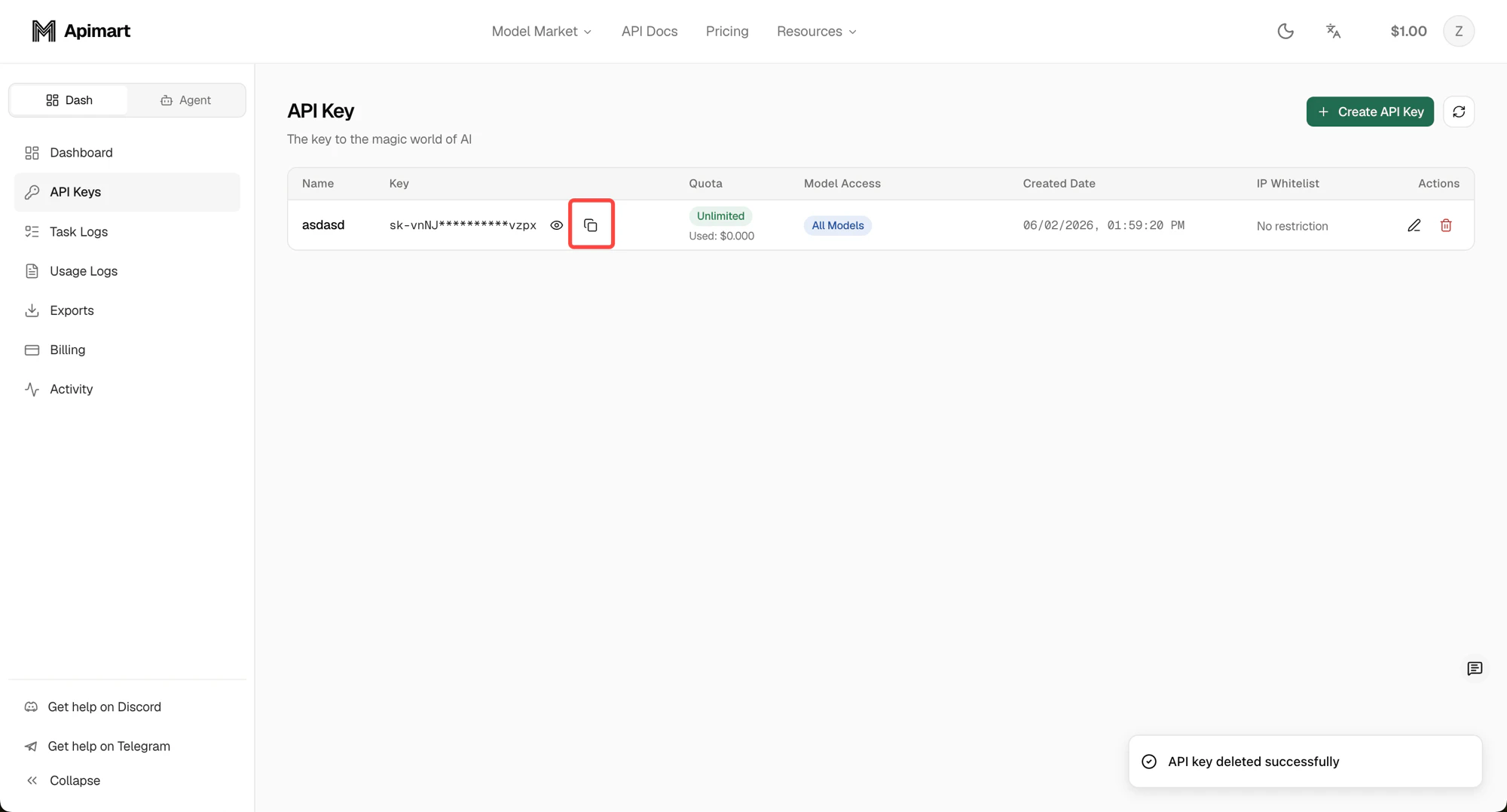
Save your key securely
Step 2: Choose a Model
We provide multiple AI models to choose from. Visit the Model Market to browse all available models and their pricing.Text Generation Models
- GPT-4o: Powerful dialogue and text generation capabilities
- Claude: High-performance conversational model by Anthropic
- Gemini: Google’s multimodal large language model
Image Generation Models
- GPT-4o-image: High‑quality image generation
Video Generation Models
- Sora2: Professional video generation
Step 3: Send a Request
Text generation example
Image generation example
Video generation example
Step 4: Check Task Status
Because we use asynchronous processing, you need to query task status to obtain results.What’s Next
View API docs
Learn more about all available API endpoints.
Development Guide
Learn how to integrate the API into your application.